exploration
Butcheros
An exploration in what a "boutique operating system" could look like: a multi-tenant SaaS concept where independent butcher shops get a branded storefront and admin dashboard, built solo end to end to test content-first, chrome-free interface ideas on a real business problem.
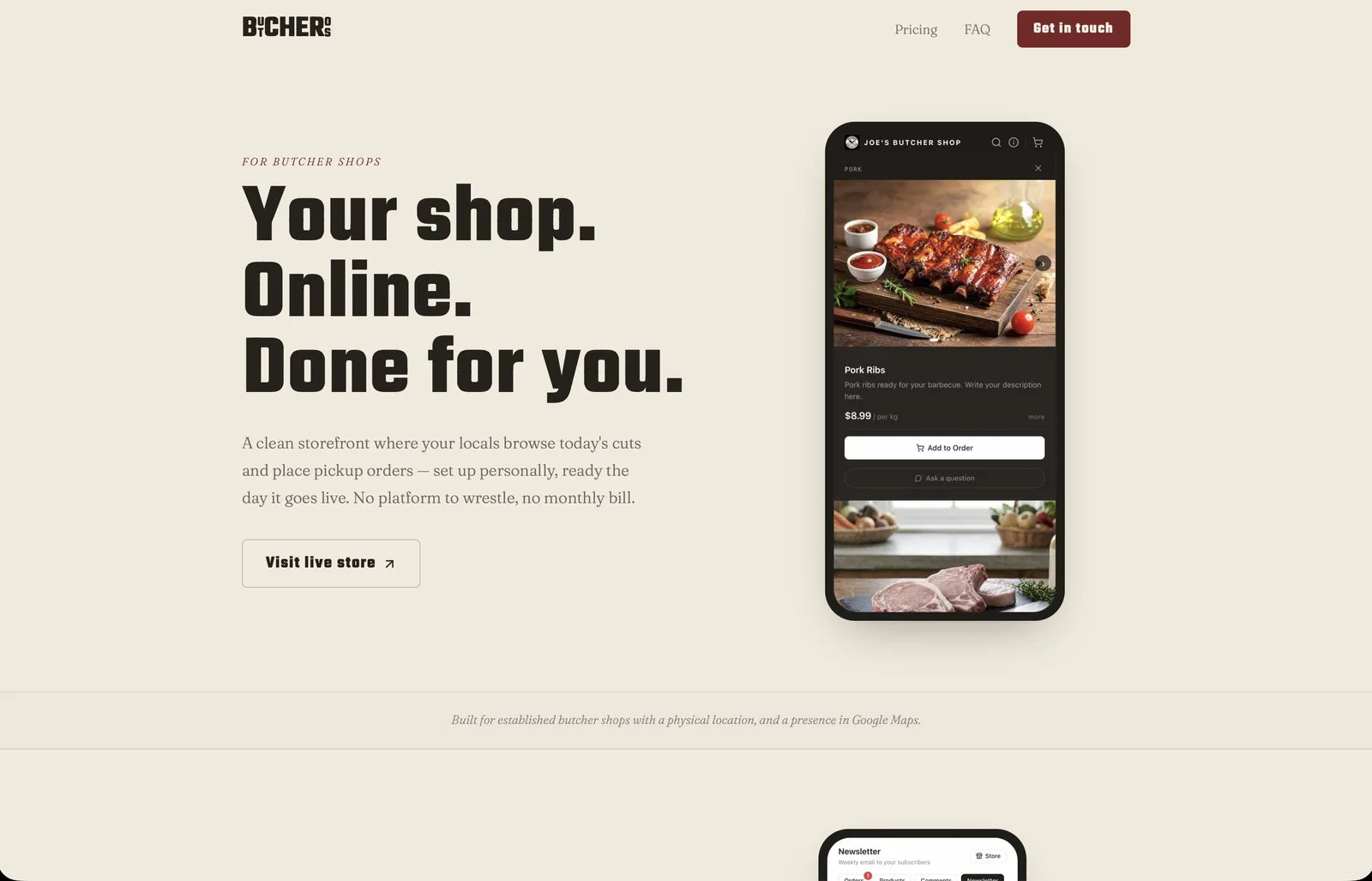
Butcheros started as a question: what would it look like to give a small, old-school business like a butcher shop a storefront that felt more like a curated feed than a piece of software? I used it to explore that idea fully, designing and building every layer myself: brand, UX, frontend, backend.
The concept: each shop gets its own branded space (joes.butcheros.com), a customer-facing storefront and a private dashboard, without needing a developer or a generic store builder. The marketing site at butcheros.com carries the pitch and a self-serve trial signup.
The interesting design territory is the storefront. I wanted to strip out the usual e-commerce chrome, buttons, nav bars, forms, and let scrolling and content do the work instead: text-as-navigation, sections for product categories, a slide-in cart rather than a page, and a Q&A layer where customers can ask a butcher a question right on a product. No accounts needed to order, just a name and a phone number. A slide-in info panel handles hours, location, and newsletter signup.
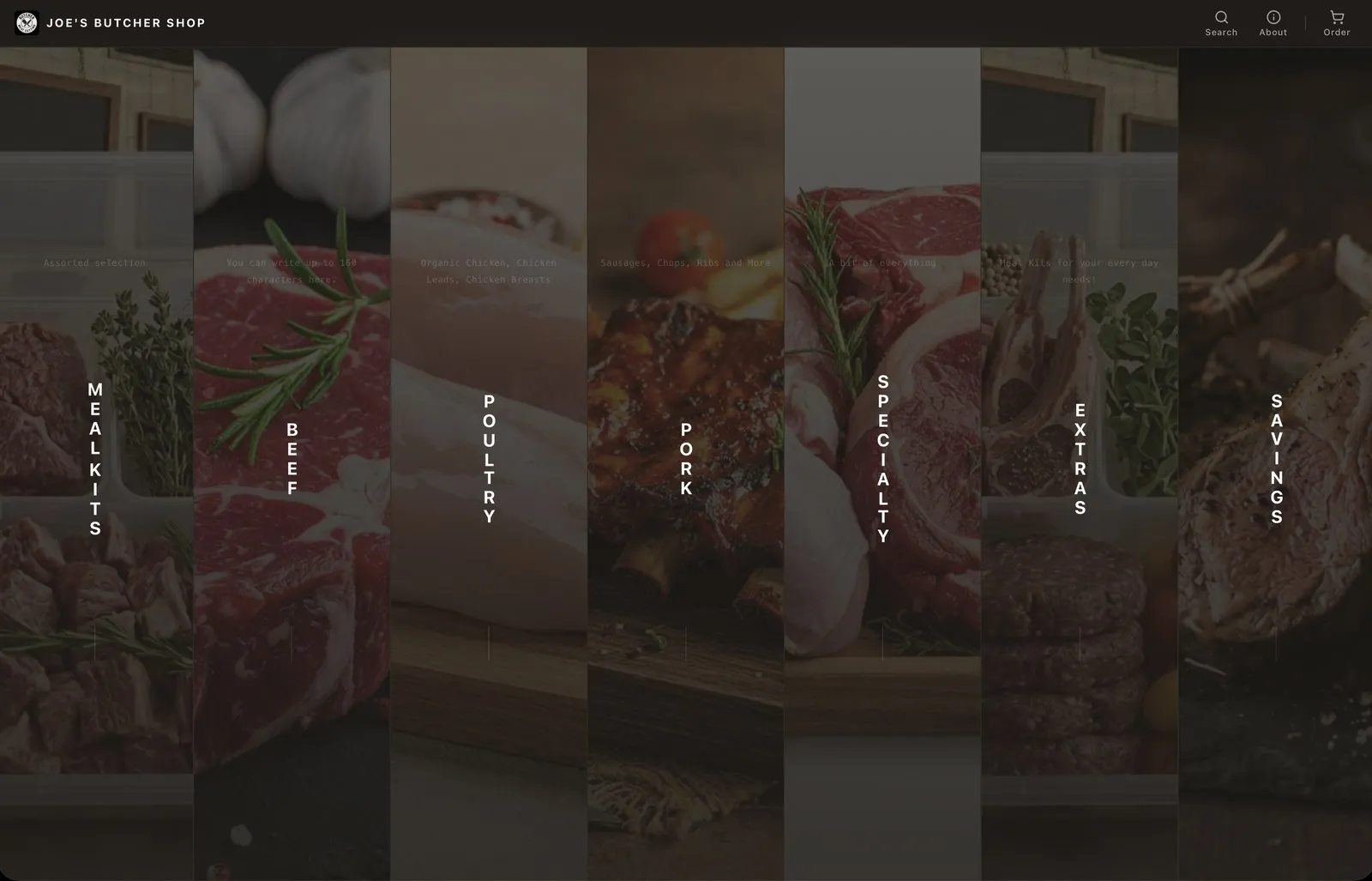
The columns layout, closest to how I like to design navigation: sections you scroll through, not a menu you click.
Shop owners can choose this or a more conventional stacked layout instead, whichever fits how their customers actually browse.
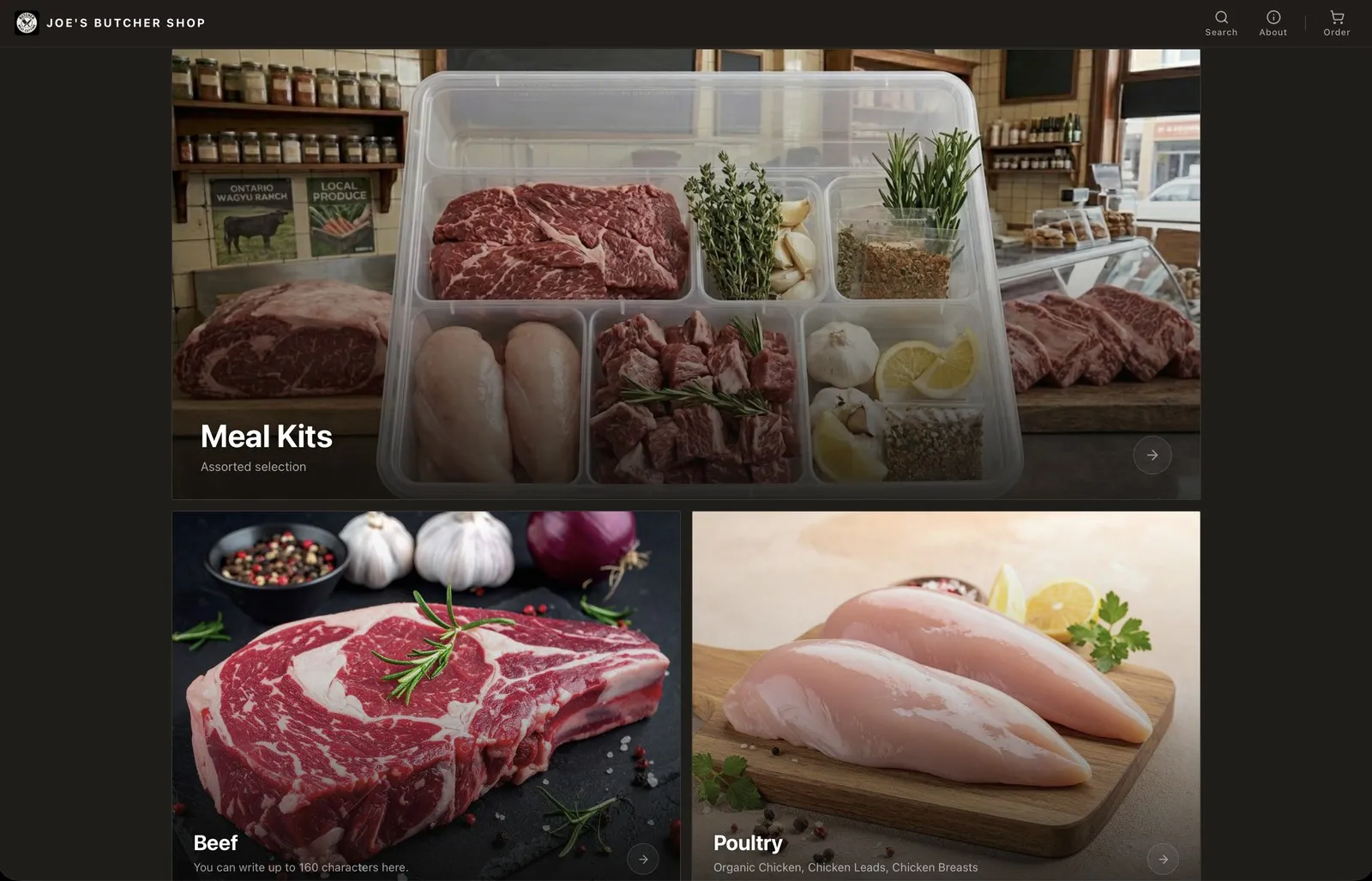
Same shop, same content, a completely different feel. The layout is a toggle, not a rebuild.
Placing an order stays lightweight on purpose. No payment happens on the site, orders are for pickup, paid in person when the customer arrives. A sold-out product just says so; a product with a question gets one answered right where it’s being looked at.
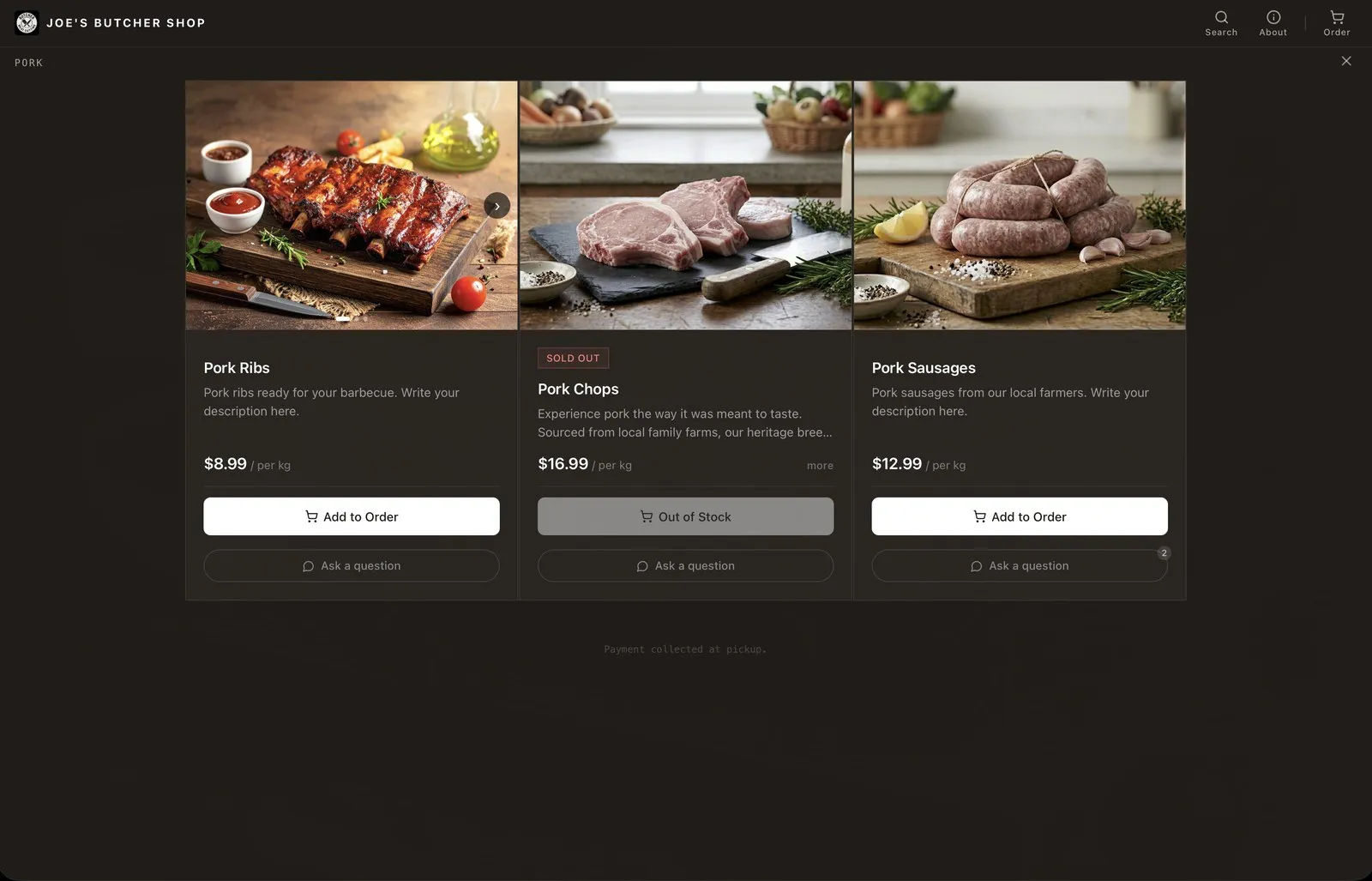
Real inventory states, not a mockup: sold out is sold out, and payment is collected at pickup, never on the site.
The dashboard was the other half of the experiment: could the tools a business owner uses every day, orders, product catalogue, replying to customers, sending a newsletter, feel as fluid and un-form-like as the customer side, instead of the usual grid of settings pages? That question shaped most of the interaction decisions there. The layout choice customers see on the storefront is itself just one setting here.
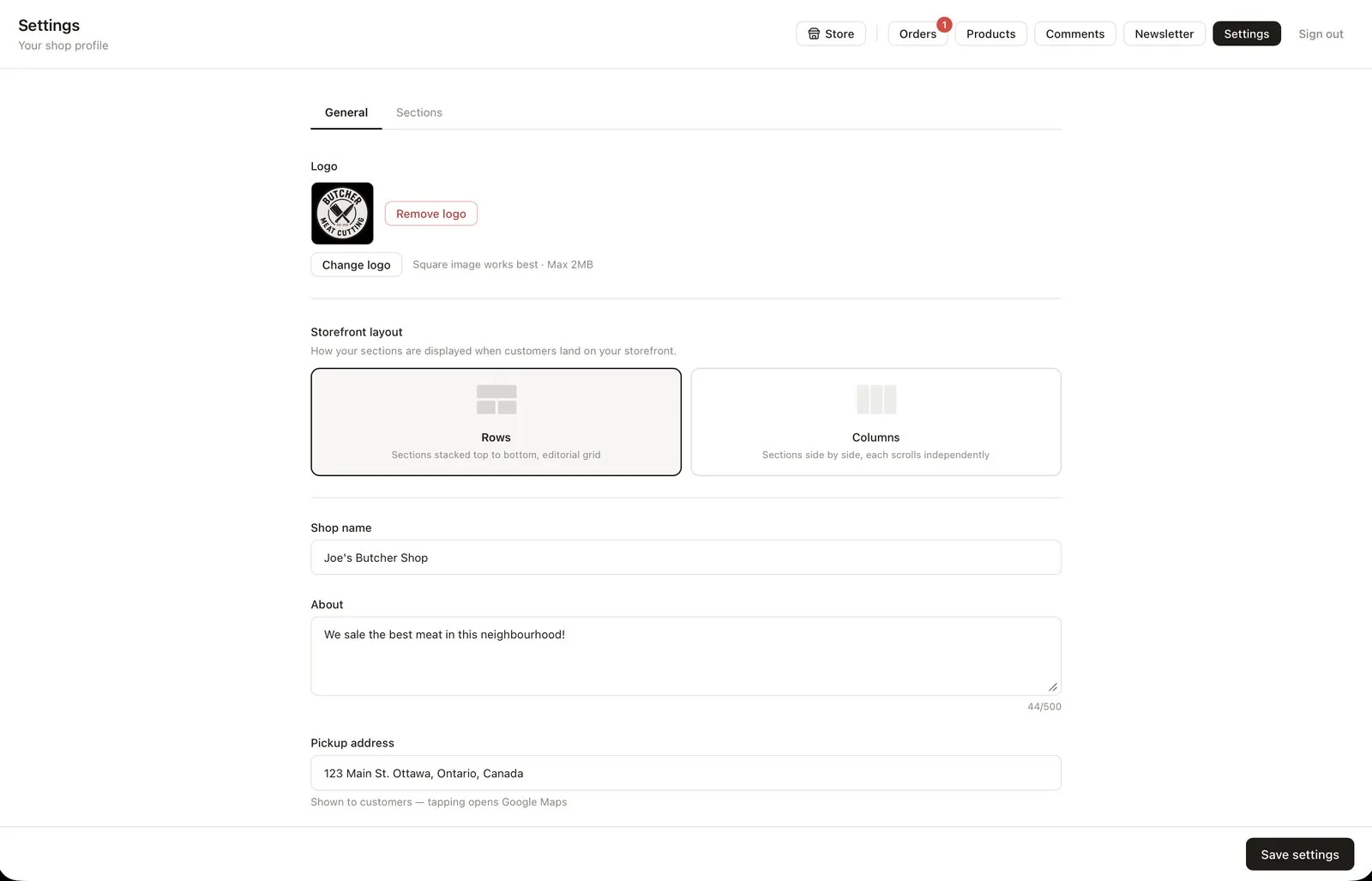
The same rows/columns choice from the storefront, controlled from one settings screen.
Orders land with exactly what’s needed to fulfill them and nothing else, a name, a phone number, what they ordered, ready to mark complete.
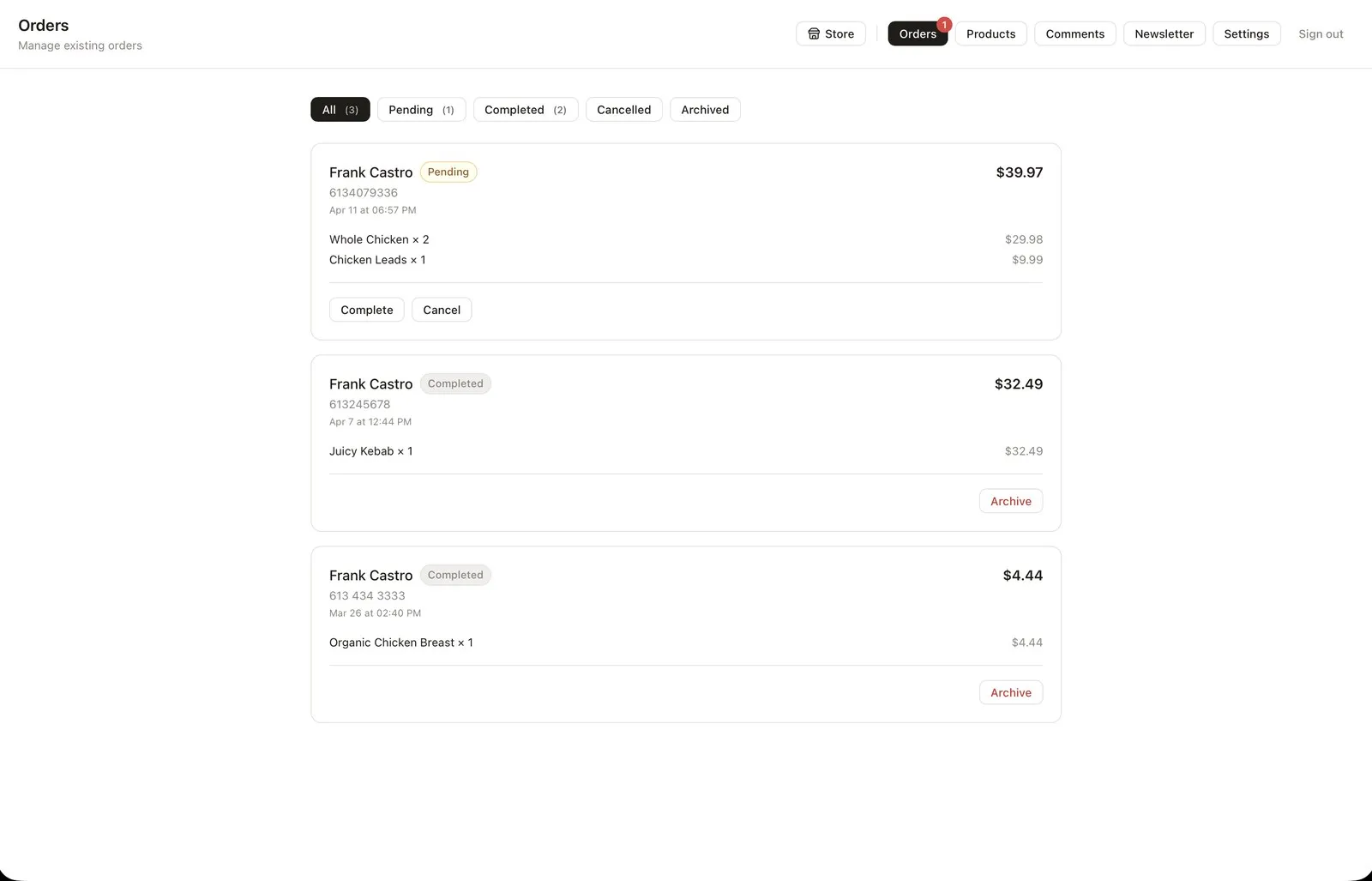
No accounts, no customer database. Just enough information to hand someone their order.
It’s an ongoing solo build, Laravel and MySQL on the backend, a React frontend, part product design exercise, part test of whether “boring” small businesses actually want interfaces like this.
features
- —Branded, subdomain-based storefronts with a content-first, scroll-driven feed
- —Chrome-free interaction model: text-as-navigation, no button-heavy UI
- —Real-time order and product management dashboard designed to feel as fluid as the storefront
- —Slide-in cart and info panel, no account required to order
- —Newsletter signup for customers, with newsletters sent straight from the dashboard
- —Cron jobs that clean up archived orders after a month and send weekly emails
- —Self-serve trial signup as a way to test the idea with real shops